FREE WHITE PAPER

Heading

Date
This is some text inside of a div block.
FREE WHITE PAPER

Heading 1

Heading 2

Heading 3

Heading 4

Heading 5
Heading 6

Lorem ipsum dolor sit amet, consectetur adipiscing elit, sed do eiusmod tempor incididunt ut labore et dolore magna aliqua. Ut enim ad minim veniam, quis nostrud exercitation ullamco laboris nisi ut aliquip ex ea commodo consequat. Duis aute irure dolor in reprehenderit in voluptate velit esse cillum dolore eu fugiat nulla pariatur.

Block quote

Ordered list

  1. Item 1
  2. Item 2
  3. Item 3

Unordered list

  • Item A
  • Item B
  • Item C

Text link

Bold text

Emphasis

Superscript

Subscript

Heading 1

Heading 2

Heading 3

Heading 4

Heading 5
Heading 6

Lorem ipsum dolor sit amet, consectetur adipiscing elit, sed do eiusmod tempor incididunt ut labore et dolore magna aliqua. Ut enim ad minim veniam, quis nostrud exercitation ullamco laboris nisi ut aliquip ex ea commodo consequat. Duis aute irure dolor in reprehenderit in voluptate velit esse cillum dolore eu fugiat nulla pariatur.

Block quote

Ordered list

  1. Item 1
  2. Item 2
  3. Item 3

Unordered list

  • Item A
  • Item B
  • Item C

Text link

Bold text

Emphasis

Superscript

Subscript

Download Resource
Thank you! Your submission has been received!
Oops! Something went wrong while submitting the form.

What to expect when your Neptune arrives

Edited by
Date
November 27, 2023

Congratulations on your new Neptune industrial X-ray CT scanner from Lumafield! We know that receiving and setting up a new piece of equipment can be challenging, so we're here to provide you with a step-by-step guide on what to expect during the delivery, installation, and calibration process of your Neptune.

Delivery and uncrating

When your Neptune arrives, it will be securely crated on a truck. To unload the scanner safely, please do not use the truck's liftgate. Instead, you will need a forklift capable of handling 4,000 pounds. Detailed instructions for uncrating and removing the scanner will be provided. It's essential to follow these instructions carefully for a trouble-free start.

Moving into place

Once the scanner is out of its crate, it can be easily moved on its own wheels across flat, level surfaces. The scanner is designed to fit through a standard 36" door, but if your workspace is not accessible through a door at least that large, please discuss alternative location options with your installation engineer. If there are significant gaps, thresholds, or obstacles on the path from the loading dock to the final destination, you may need additional assistance such as a crew with steel plates or professional riggers.

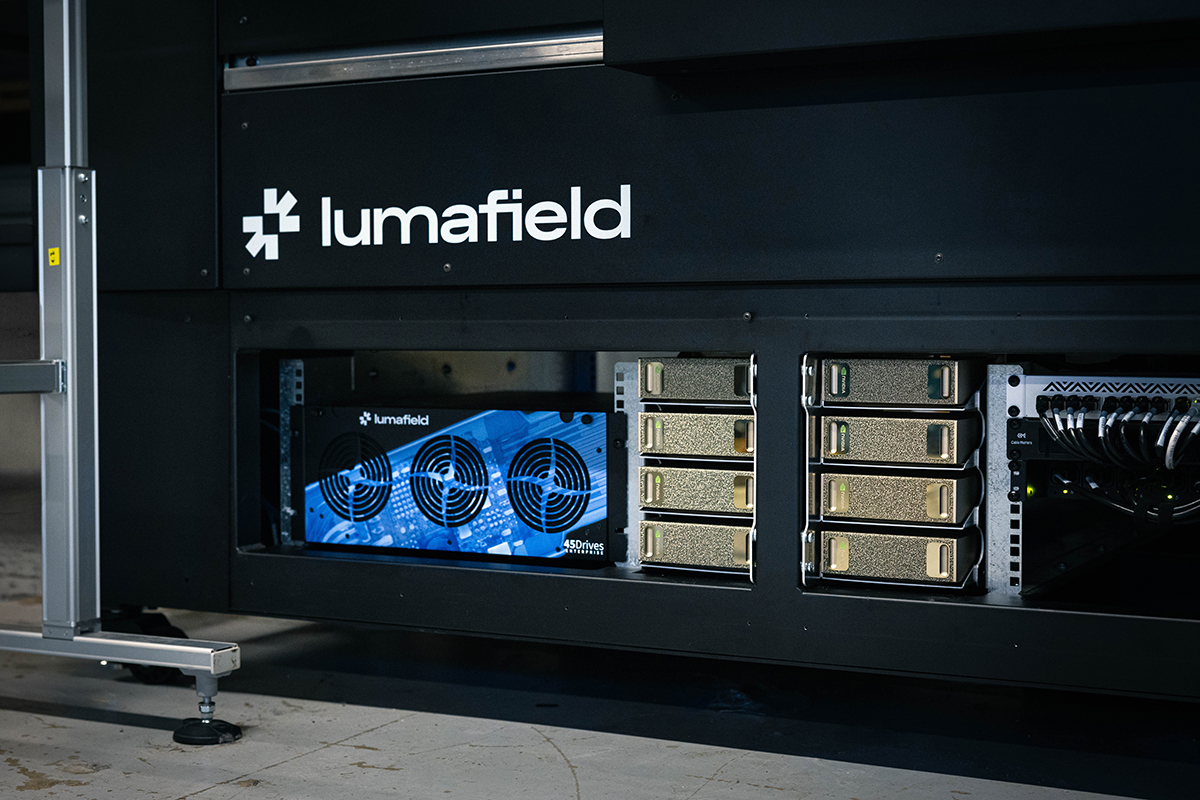
Use a forklift capable of handling 4,000 pounds to move your Neptune.

Installation and calibration

Before installing your Neptune CT scanner, ensure that your designated space is clear, level, and located near a standard 120 V outlet. You will also need reliable internet connectivity. Ethernet is ideal, but Neptune scanners also support WiFi. Lumafield will provide you with detailed specifications to share with your IT team to guarantee that your network is ready for your Neptune.

Your installation engineer will handle the setup and calibration process. By the end of the installation day, your scanner will be fully operational, and you'll be prepared for Lumafield's comprehensive training program, ensuring that you can make the most of your new Neptune CT scanner.

Getting started

Now that you know what to expect when receiving and setting up your Neptune CT scanner, the only thing you need to worry about is what you’ll scan first. Our CT 101 video library is an excellent place to start. There you'll find guidance for getting the most out of your scanner as well as Voyager, our browser-based analysis software that makes it easy to share data with your colleagues and collaborate in real time.

If you have any questions or need further assistance during the installation process, please don't hesitate to reach out to our dedicated support team. Scan on!

Resource
Article

What to expect when your Neptune arrives

November 27, 2023
Resource

What to expect when your Neptune arrives

Congratulations on your new Neptune industrial X-ray CT scanner from Lumafield! We know that receiving and setting up a new piece of equipment can be challenging, so we're here to provide you with a step-by-step guide on what to expect during the delivery, installation, and calibration process of your Neptune.

Delivery and uncrating

When your Neptune arrives, it will be securely crated on a truck. To unload the scanner safely, please do not use the truck's liftgate. Instead, you will need a forklift capable of handling 4,000 pounds. Detailed instructions for uncrating and removing the scanner will be provided. It's essential to follow these instructions carefully for a trouble-free start.

Moving into place

Once the scanner is out of its crate, it can be easily moved on its own wheels across flat, level surfaces. The scanner is designed to fit through a standard 36" door, but if your workspace is not accessible through a door at least that large, please discuss alternative location options with your installation engineer. If there are significant gaps, thresholds, or obstacles on the path from the loading dock to the final destination, you may need additional assistance such as a crew with steel plates or professional riggers.

Use a forklift capable of handling 4,000 pounds to move your Neptune.

Installation and calibration

Before installing your Neptune CT scanner, ensure that your designated space is clear, level, and located near a standard 120 V outlet. You will also need reliable internet connectivity. Ethernet is ideal, but Neptune scanners also support WiFi. Lumafield will provide you with detailed specifications to share with your IT team to guarantee that your network is ready for your Neptune.

Your installation engineer will handle the setup and calibration process. By the end of the installation day, your scanner will be fully operational, and you'll be prepared for Lumafield's comprehensive training program, ensuring that you can make the most of your new Neptune CT scanner.

Getting started

Now that you know what to expect when receiving and setting up your Neptune CT scanner, the only thing you need to worry about is what you’ll scan first. Our CT 101 video library is an excellent place to start. There you'll find guidance for getting the most out of your scanner as well as Voyager, our browser-based analysis software that makes it easy to share data with your colleagues and collaborate in real time.

If you have any questions or need further assistance during the installation process, please don't hesitate to reach out to our dedicated support team. Scan on!

Voyager Inspection Workflows
Introduction to Voyager
Introduction to Neptune
Introduction to Industrial CT
Introducing Mars for 100% Production Inspection
Advancing Automotive Inspection: Industrial CT for Better Outcomes
Introducing Neptune Performance and Triton Performance
Manufacturers Know Quality Costs Money. Most Don't Know How Much.
The Real Cost of a Product Recall and How to Prevent One
What Industrial CT Scanning Does for Manufacturing Quality
Explore more posts
Direkt zum Hauptinhalt
Mars: In-line arrayed X-ray system >
Platform
Branchen
Alle Branchen
Aerospace and Defense
Agriculture and Food
Athletic Equipment
Automotive
Batteries
Consumer Packaged Goods
Electronics
Medical Devices
Applications
Ressourcen
Whitepapers
Ressourcen
Webinare
Blog
Insights from lumafield
Go/No-Go
Manufacturing podcast
First Article
Editorial Publication
Firma
Über
Karriere
Drücken
Events
Starten Sie Voyager
Vertrieb kontaktieren
Speisekarte
ProdukteBranchen
Branchen
Alle Branchen
Medical Devices
Electronics
Consumer Packaged Goods
Automotive
Athletic Equipment
Batteries
Agriculture and Food
Aerospace and Defense
Applications
Ressourcen
Ressourcen
Whitepapers
101. OKTOBER
Webinars
Erster Artikel
Go/No-Go Podcast
First Article
Firma
Firma
Über
Karriere
Drücken
Events
Vertrieb kontaktieren
Starten Sie Voyager
© 2000 Lumafield. All Rights Reserved.
den Weg ändern
die Welt macht
alles
Branchen
Aerospace and Defense
Agriculture and Food
Athletic Equipment
Automotive
Batteries
Consumer Packaged Goods
Electronics
Medical Devices
Alle Branchen
Anwendungen
Assembly Verification
Competitive Benchmarking and Analysis
Defect Detection
Design Verification and Validation
Dimensional Measurement
Failure Analysis
First Article Inspection (FAI)
Material Characterization
Non-Destructive Testing (NDT)
Quality Assurance and Control (QA & QC)
Reverse Engineering
Supplier Qualification
All Applications
Produkte
NeptunTritonVoyagerMarsAtlas
Ressourcen
LernenErster ArtikelWhitepapersEreignisseWebinareUnterstützungFallstudien101. OKTOBERBlog der Ingenieure
Firma
EinloggenÜberKarriereDrückenBlogKontakt

Melde dich für unseren Newsletter an

info@lumafield.com
DatenschutzInformationssicherheitVereinbarung über Bereitstellungsdienste
© 2000 Lumafield. All Rights Reserved.