FREE WHITE PAPER

Heading

Date
This is some text inside of a div block.
FREE WHITE PAPER

Heading 1

Heading 2

Heading 3

Heading 4

Heading 5
Heading 6

Lorem ipsum dolor sit amet, consectetur adipiscing elit, sed do eiusmod tempor incididunt ut labore et dolore magna aliqua. Ut enim ad minim veniam, quis nostrud exercitation ullamco laboris nisi ut aliquip ex ea commodo consequat. Duis aute irure dolor in reprehenderit in voluptate velit esse cillum dolore eu fugiat nulla pariatur.

Block quote

Ordered list

  1. Item 1
  2. Item 2
  3. Item 3

Unordered list

  • Item A
  • Item B
  • Item C

Text link

Bold text

Emphasis

Superscript

Subscript

Heading 1

Heading 2

Heading 3

Heading 4

Heading 5
Heading 6

Lorem ipsum dolor sit amet, consectetur adipiscing elit, sed do eiusmod tempor incididunt ut labore et dolore magna aliqua. Ut enim ad minim veniam, quis nostrud exercitation ullamco laboris nisi ut aliquip ex ea commodo consequat. Duis aute irure dolor in reprehenderit in voluptate velit esse cillum dolore eu fugiat nulla pariatur.

Block quote

Ordered list

  1. Item 1
  2. Item 2
  3. Item 3

Unordered list

  • Item A
  • Item B
  • Item C

Text link

Bold text

Emphasis

Superscript

Subscript

Download Resource
Thank you! Your submission has been received!
Oops! Something went wrong while submitting the form.

Inspecting SLA 3D printed parts with CT scans

Edited by
Date
August 1, 2022
Introduction to SLA

Stereolithography (SLA) was patented in 1986 and became the first commercial 3D printing technology. SLA 3D printers use an ultraviolet laser to cure liquid polymer resin into solid parts, layer by layer.

SLA printing offers excellent surface finish and detail, but like every 3D printing process, it requires some specialized knowledge to achieve best results. An industrial CT scanner can quickly find common flaws in SLA 3D prints, including some that are outwardly invisible.

Explore this scan in Voyager by creating a free account.
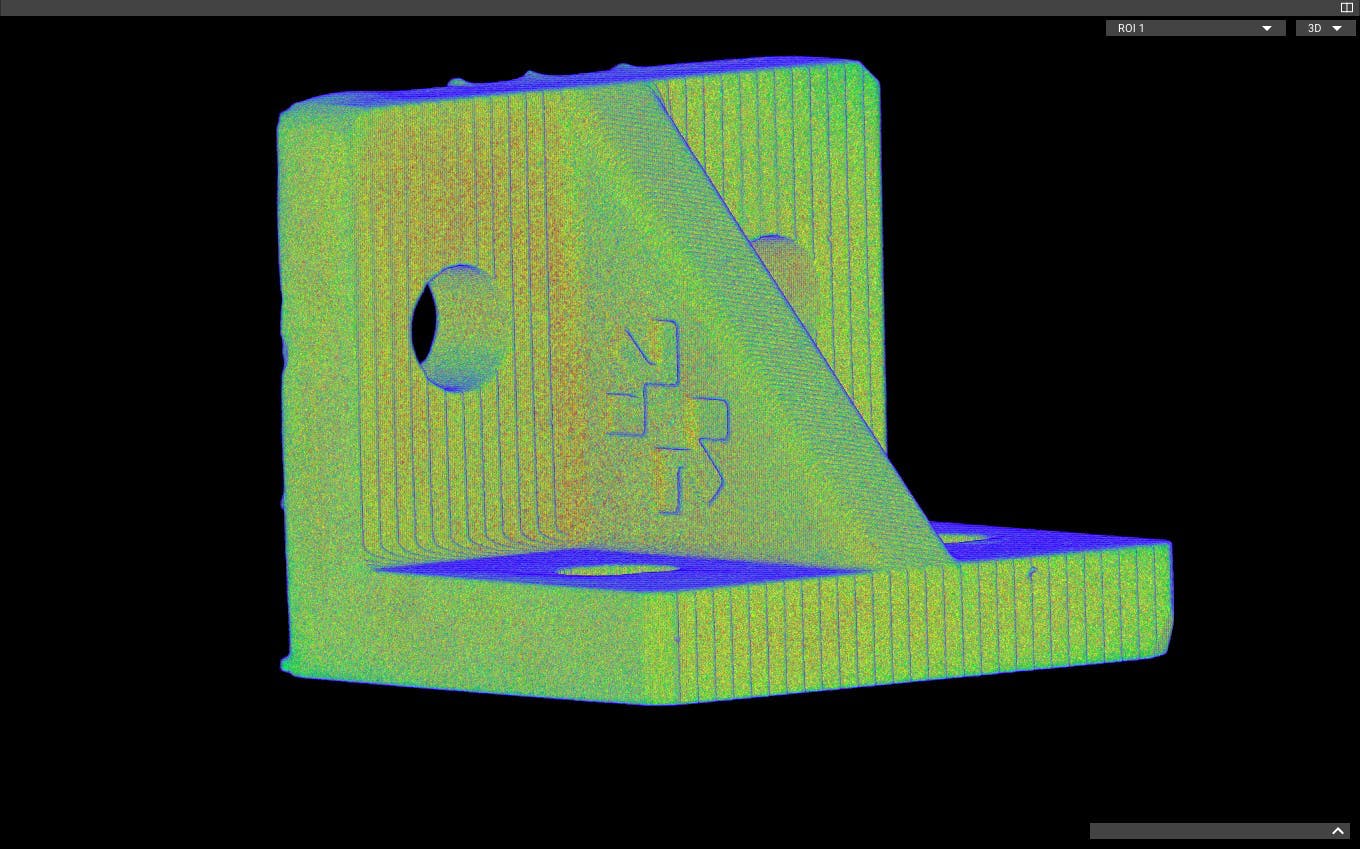
Supports needed

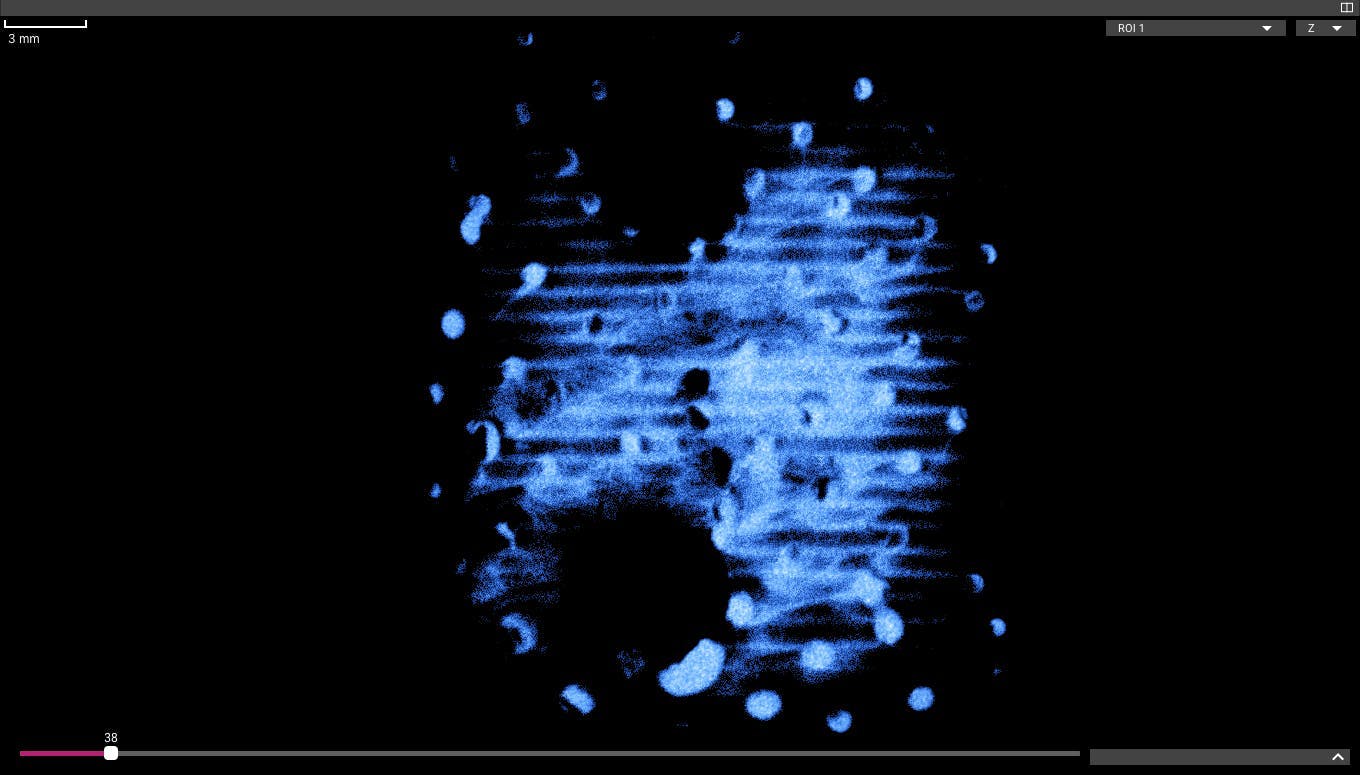
Many parts require support structures when they're fabricated on an SLA 3D printer. These supports stabilize the part and brace overhanging areas during printing, and they're removed and discarded during post-processing.

Small supports in internal features are easy to miss during post-processing, but they're easy to detect with a CT scan.

Support marks

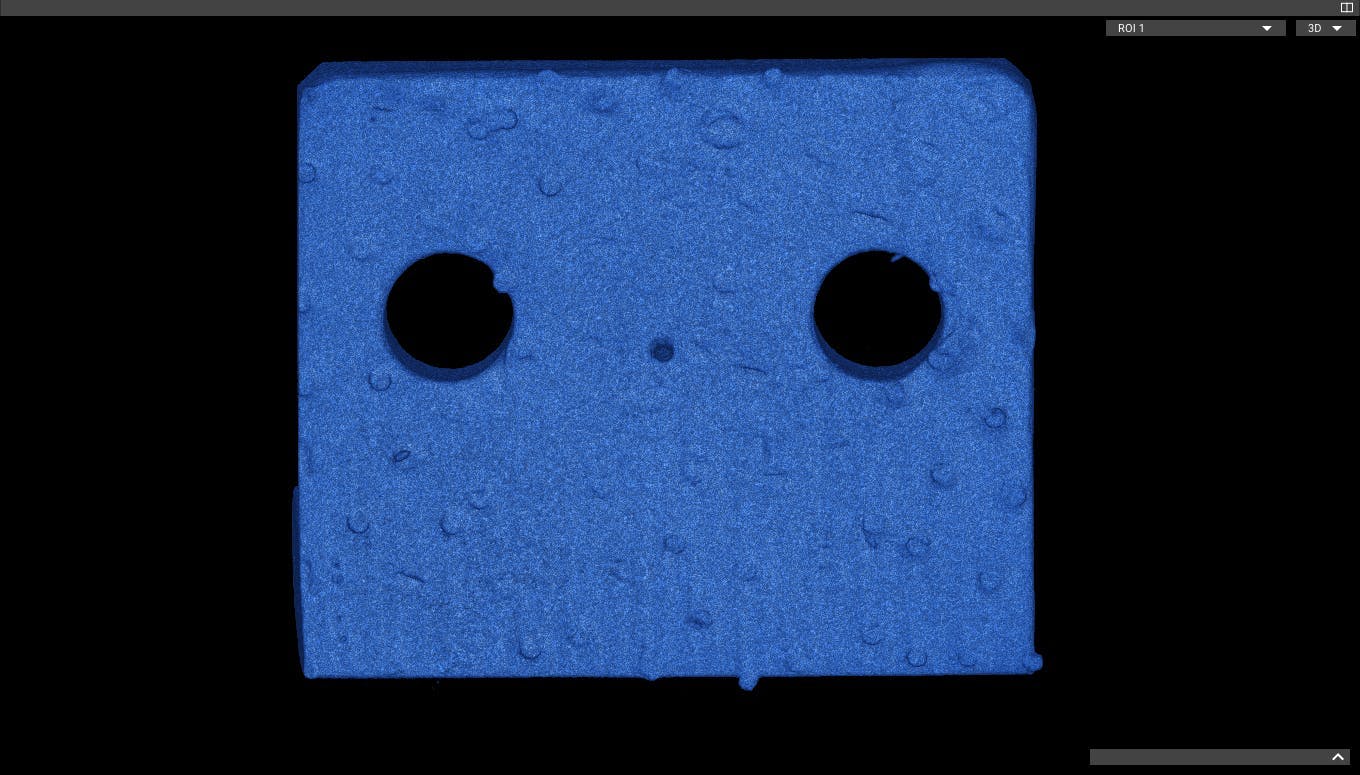
Supports can leave visual marks on printed parts. Parts are usually oriented during printing to keep supports away from critical surfaces, but sometimes they're unavoidable. In this case support marks may need to be polished away during post-processing.

The process of removing supports can involve significant force, introducing small cracks in the part and breaking details.

Trapped resin

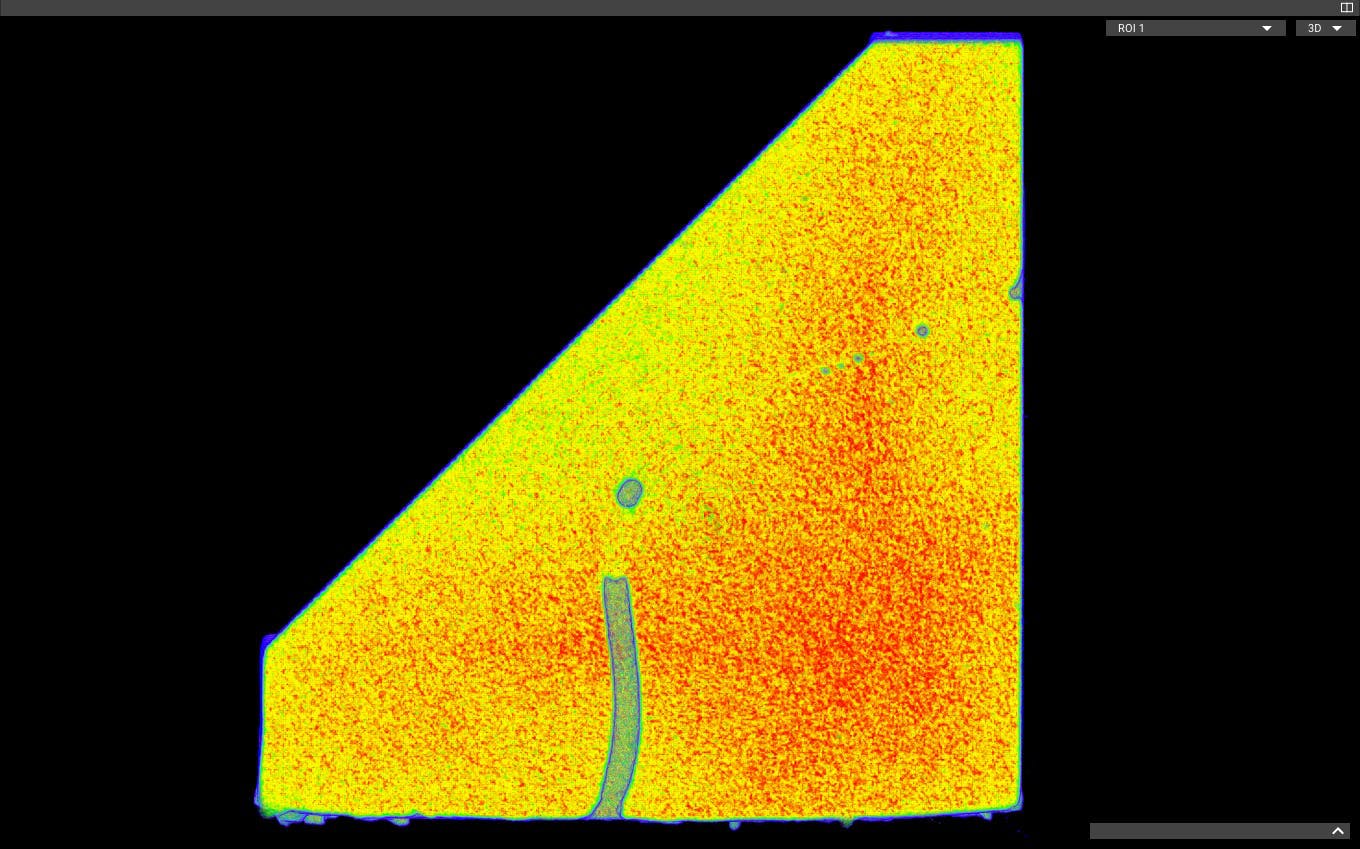
After printing with an SLA printer, parts are rinsed in a solvent to remove uncured resin, then flooded with UV light to fully cure the part. Removing uncured resin from fine internal details can be a painstaking manual process, and any resin left on or in the part will be cured during the final post-curing step.

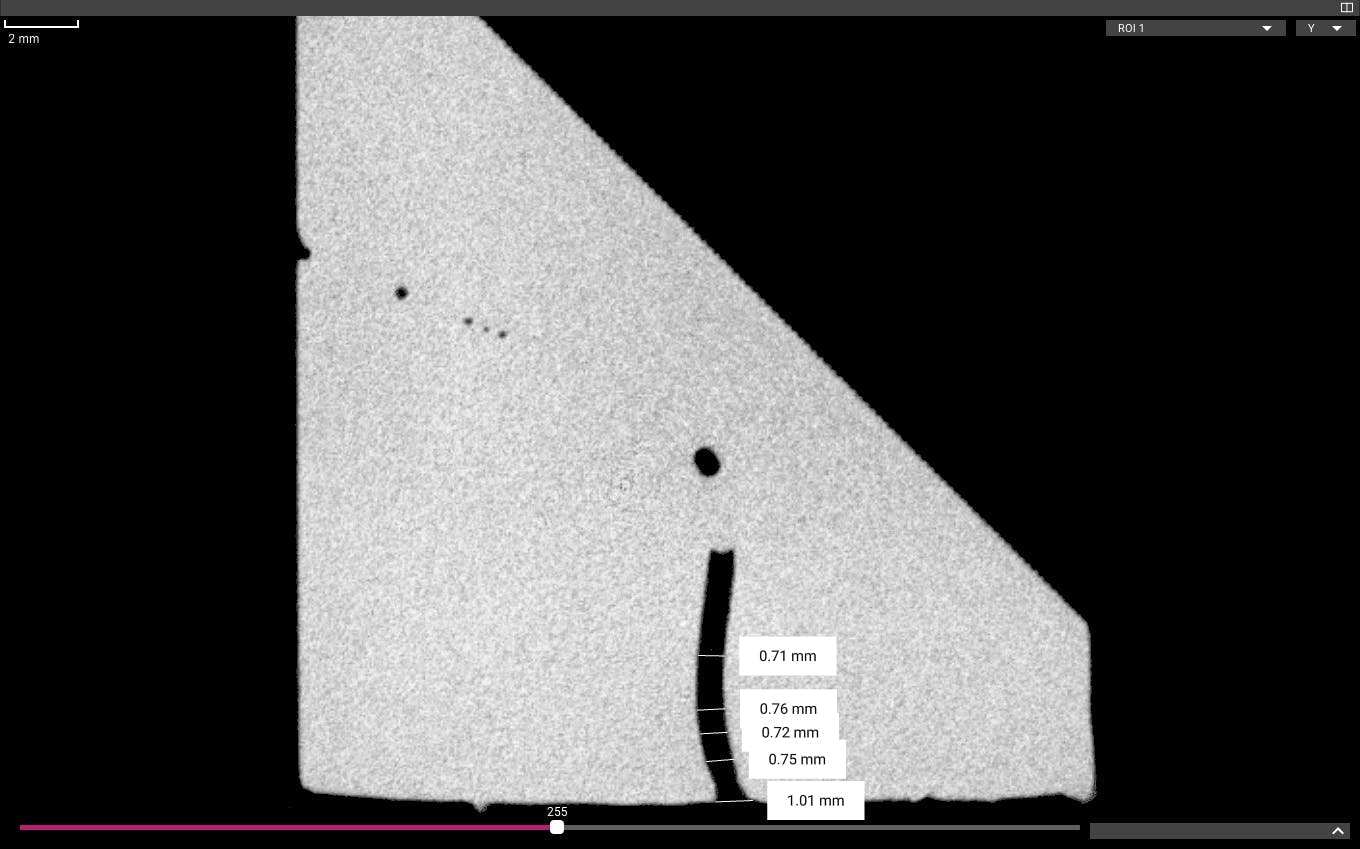
In this case, uncured resin was not completely flushed out of the internal channel during the rinse stage, leaving it to narrow the channel in some areas and block it completely in others. The blockage is outwardly invisible, but easy to find with a CT scan.

Other Articles in the Series
  • Main page: Inspect 3D printed parts with industrial CT
  • Fused Deposition Modeling (FDM)
  • Selective Laser Sintering (SLS)
  • Multi Jet Fusion (MJF)
  • Direct Metal Laser Sintering (DMLS)

‍

Resource
Article

Inspecting SLA 3D printed parts with CT scans

August 1, 2022
Resource

Inspecting SLA 3D printed parts with CT scans

Introduction to SLA

Stereolithography (SLA) was patented in 1986 and became the first commercial 3D printing technology. SLA 3D printers use an ultraviolet laser to cure liquid polymer resin into solid parts, layer by layer.

SLA printing offers excellent surface finish and detail, but like every 3D printing process, it requires some specialized knowledge to achieve best results. An industrial CT scanner can quickly find common flaws in SLA 3D prints, including some that are outwardly invisible.

Explore this scan in Voyager by creating a free account.
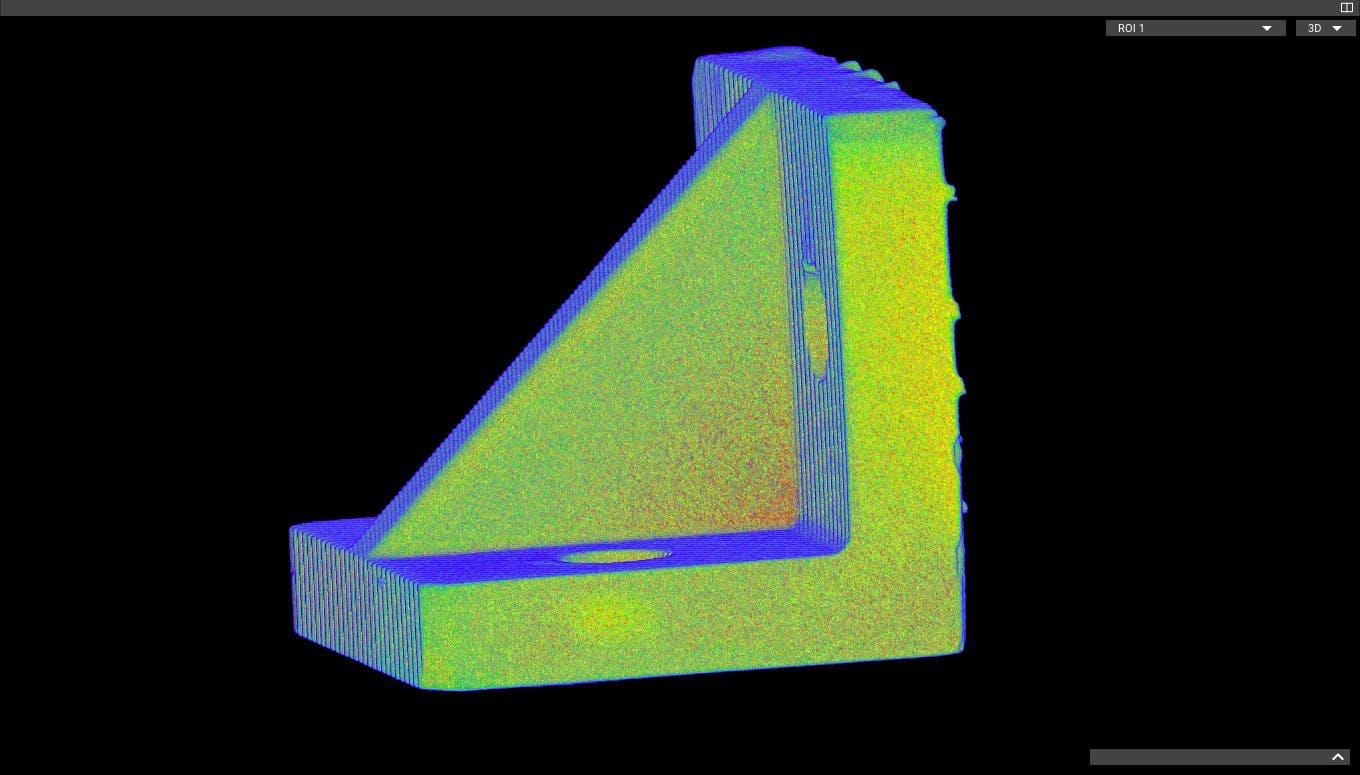
Supports needed

Many parts require support structures when they're fabricated on an SLA 3D printer. These supports stabilize the part and brace overhanging areas during printing, and they're removed and discarded during post-processing.

Small supports in internal features are easy to miss during post-processing, but they're easy to detect with a CT scan.
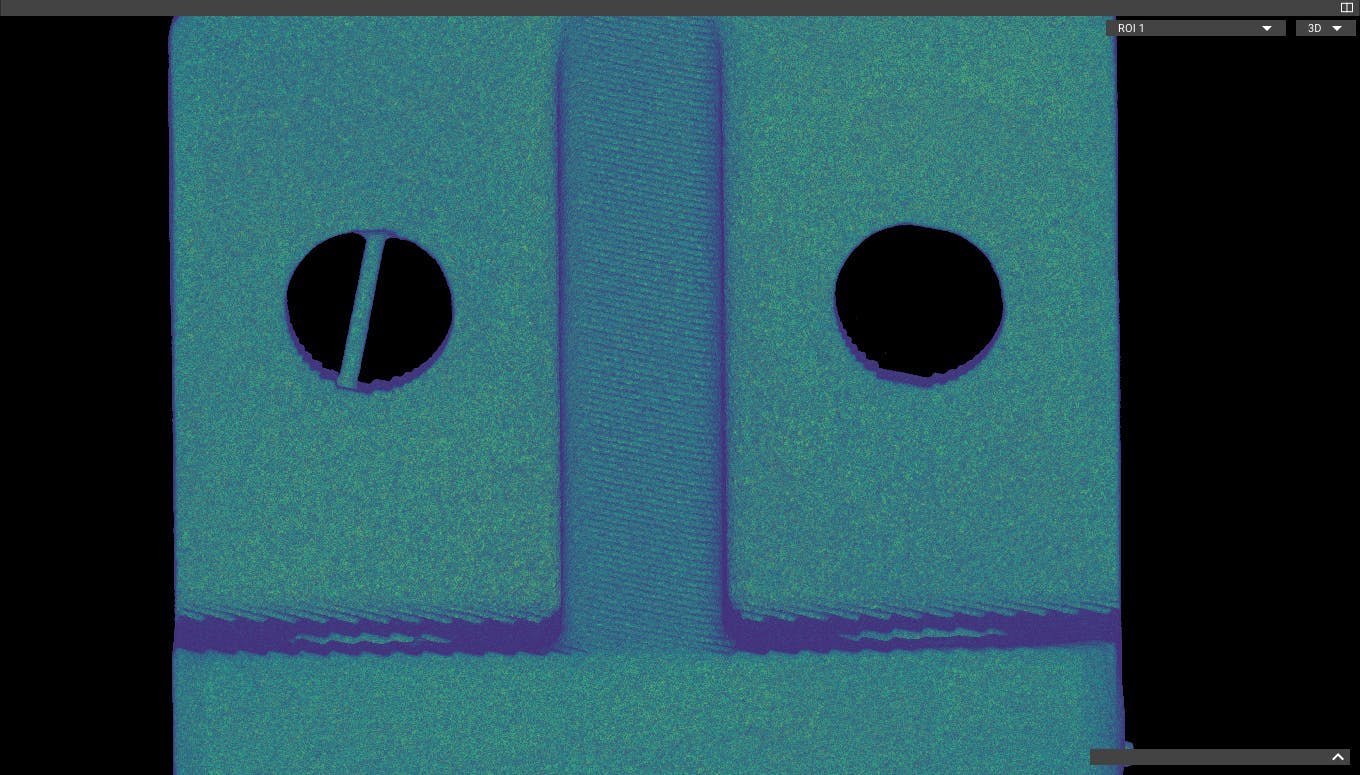
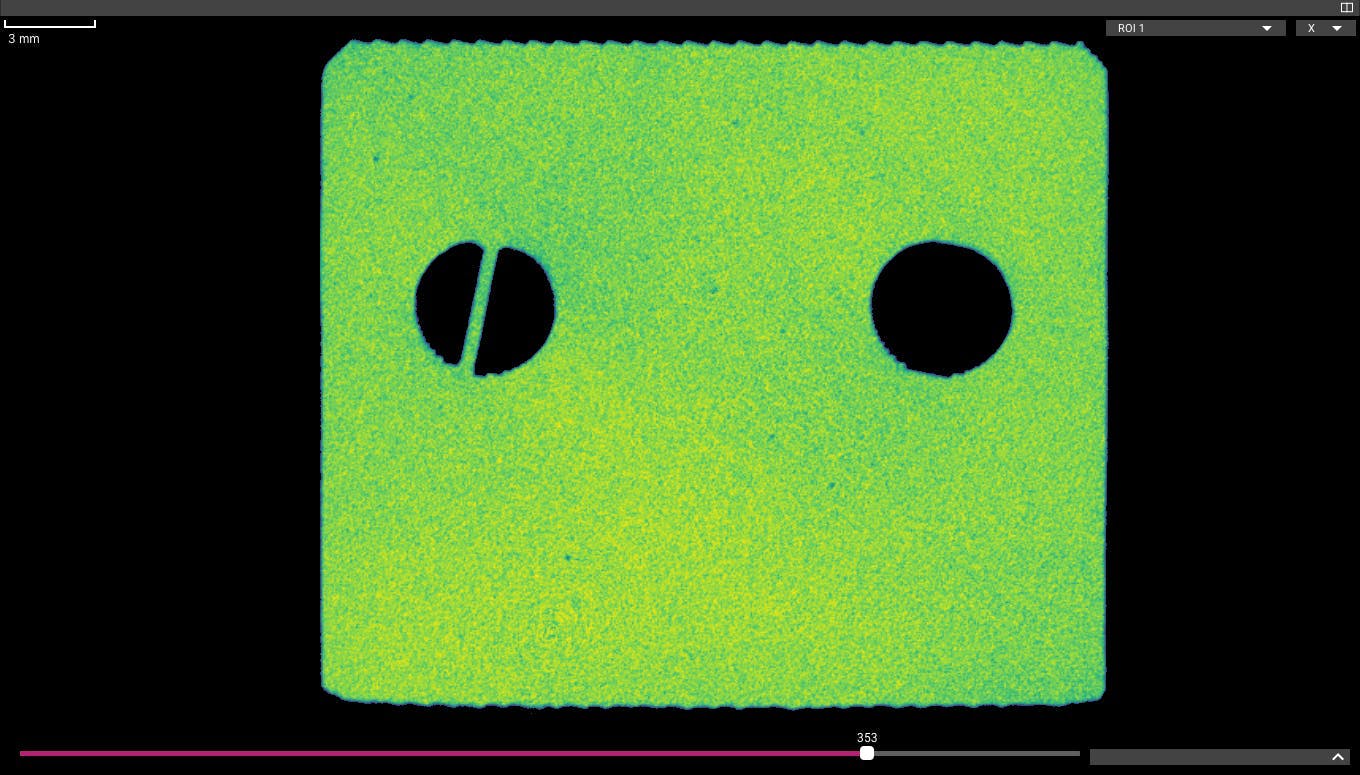
Support marks

Supports can leave visual marks on printed parts. Parts are usually oriented during printing to keep supports away from critical surfaces, but sometimes they're unavoidable. In this case support marks may need to be polished away during post-processing.

The process of removing supports can involve significant force, introducing small cracks in the part and breaking details.
Trapped resin

After printing with an SLA printer, parts are rinsed in a solvent to remove uncured resin, then flooded with UV light to fully cure the part. Removing uncured resin from fine internal details can be a painstaking manual process, and any resin left on or in the part will be cured during the final post-curing step.

In this case, uncured resin was not completely flushed out of the internal channel during the rinse stage, leaving it to narrow the channel in some areas and block it completely in others. The blockage is outwardly invisible, but easy to find with a CT scan.
Other Articles in the Series
  • Main page: Inspect 3D printed parts with industrial CT
  • Fused Deposition Modeling (FDM)
  • Selective Laser Sintering (SLS)
  • Multi Jet Fusion (MJF)
  • Direct Metal Laser Sintering (DMLS)

‍

Voyager Inspection Workflows
Introduction to Voyager
Introduction to Neptune
Introduction to Industrial CT
Advancing Automotive Inspection: Industrial CT for Better Outcomes
Introducing Neptune Performance and Triton Performance
Manufacturers Know Quality Costs Money. Most Don't Know How Much.
The Real Cost of a Product Recall and How to Prevent One
What Industrial CT Scanning Does for Manufacturing Quality
Next-Generation Drones: Protecting Performance with Industrial CT
Explore more posts
メインコンテンツへスキップ
New Performance scanners are here >
プラットフォーム
分野別ソリューション
すべての業界
バッテリー
医療機器
消費財
スポーツ用品
自動車
航空宇宙/防衛
農業と食品
電子機器
用途別アプリケーション
各種資料
技術資料
ケーススタディ
オンラインセミナー
Blog
Insights from lumafield
Go/No-Go
Manufacturing podcast
First Article
Editorial Publication
企業情報
会社概要
採用情報
プレスリリース
Events
Voyager を起動
お問い合わせはこちら
メニュー
製品業界
業界
すべての業界
電子機器
医療機器
自動車
消費財
バッテリー
農業と食品
航空宇宙/防衛
スポーツ用品
[アプリケーション]
リソース
リソース
ホワイトペーパー
101
オンラインセミナー
最初の記事
Go/No-Go Podcast
First Article
会社
会社
について
採用情報
プレス
Events
セールスに問い合わせる
ボイジャーを起動
© 2000 Lumafield. All Rights Reserved.
世界の”ものづくり”を変える。
分野別ソリューション
バッテリー
医療機器
消費財
スポーツ用品
自動車
航空宇宙/防衛
農業と食品
電子機器
すべての業界
用途別アプリケーション
リバースエンジニアリング
ファースト・アーティクル・インスペクション (FAI)
品質保証と品質管理
寸法測定
故障解析
材料特性評価
欠陥検出
競合ベンチマークと分析
組み立て検証
設計検証と妥当性の確認
サプライヤー適格性評価
非破壊検査 (NDT)
すべてのアプリケーション
製品
ネプチューントリトンボイジャーアトラス
各種資料
学習コンテンツメディア技術資料ウェビナーオンラインセミナー初回CTスキャン分析ガイドケーススタディCT入門エンジニアブログ
企業情報
ログイン会社概要採用情報プレスリリースブログお問い合わせ

ニュースレターに登録する

info@lumafield.com
プライバシー情報セキュリティ導入サービス契約
© 2000 ルマフィールド。全著作権所有。